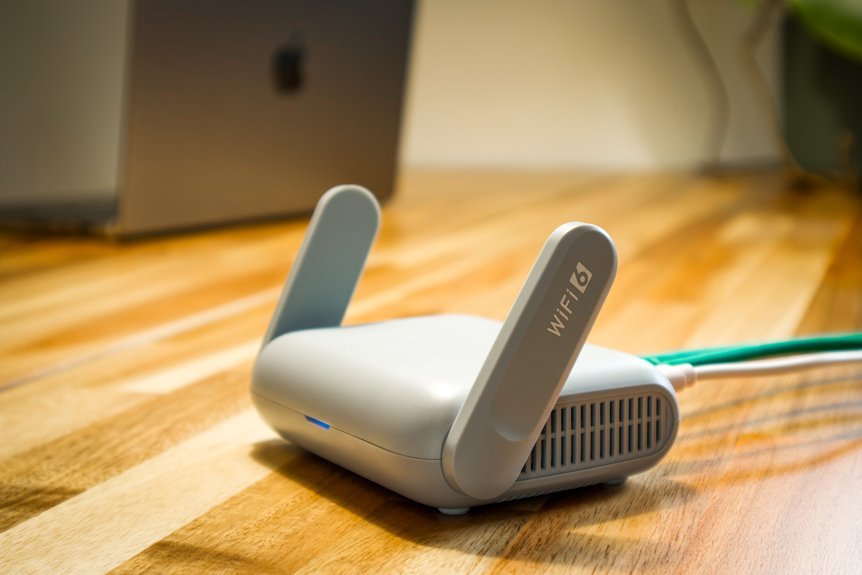
Best travel router picks smart travelers actually pack
I’ve tested these travel routers in hotels, airports, and dusty cabins. You feel the smooth plastic in your hand. You hear the soft click of the ports. A good one keeps your trip running like a well-oiled machine.
Smart travelers pack a compact router for three big wins.
- Better security
- Easier hotel WiFi login
- One connection for all your devices
Here are the standouts I’d pack again.
- GL.iNet Opal, best for budget travel
- GL.iNet Beryl AX, best for WiFi 6 and VPN use
- GL.iNet Slate 7, best for top speed with WiFi 7
- Starlink Mini X, best for off-grid work
Why do these earn a spot in your bag?
- Portable size
- VPN support
- Fast dual band WiFi
- Useful ports for laptops and gear
The Opal feels light and easy to toss in a backpack. It’s a great pick if you want value and simple setup. Cheap and cheerful.
The Beryl AX gives you faster WiFi 6 and strong VPN features. I like it for remote work and secure browsing. It punches above its weight.
The Slate 7 brings bleeding edge WiFi 7 speed. If you move big files or stream in busy hotels, this one flies. Fast as a whip.
The Starlink Mini X fits travelers who work far from town. I’ve used gear like this where the air smells like pine and dust. It gives you a lifeline when cell service feels thin.
Pick the one that matches your trips. *Speed, security, or off-grid reach.* That’s the real sweet spot.
GL.iNet GL-SFT1200 Opal Travel Router, AC1200 Dual-Band Wi-Fi
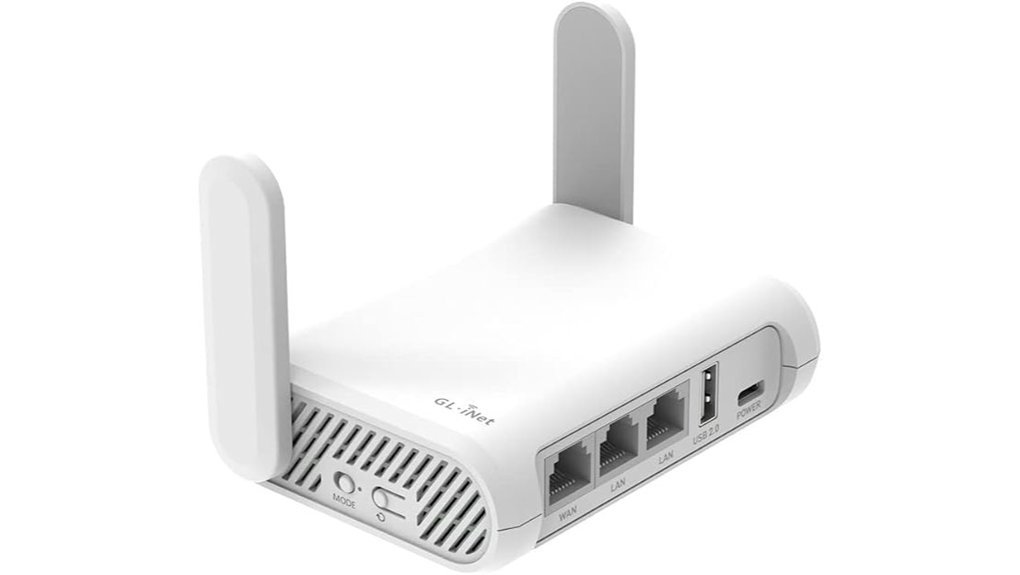
If you want a travel router that feels easy to carry and easy to trust, I’d pick the GL.iNet GL, SFT1200 Opal. I’ve used routers like this in hotels and airport lounges. This one hits the sweet spot.
It weighs just 145g. It feels light in your hand. The shell has a smooth plastic finish and the folding antennas click out with a quiet snap. Small thing. Big help.
You get AC1200 dual band Wi, Fi with:
- 300 Mbps on 2.4GHz
- 867 Mbps on 5GHz
In real use, you can browse and clear email on one band. Then stream 4K or play games on the other. That’s music to my ears.
Ports matter on the road. This router gives you:
- Two Gigabit LAN ports
- One Gigabit WAN port
I like the port layout. It keeps cables tidy and setup quick. In a cramped hotel room, that’s worth its weight in gold.
Security is a big reason to buy this model. You get OpenVPN and WireGuard built in. It supports 30 plus VPN providers. The repeater mode lets you join public Wi, Fi and share it as your own private network. That’s a neat little shield for travel days.
Best For: Travelers, remote workers, and hotel Wi, Fi users who want compact size, fast dual band wireless, private network sharing, and built in VPN tools.
Pros:
- Compact 145g body feels travel ready and slips into a bag with ease.
- Dual band Wi, Fi handles light tasks and streaming with solid speed.
- OpenVPN, WireGuard, and repeater mode make public Wi, Fi feel much safer.
- Gigabit WAN and LAN ports add flexible wired options for laptops or consoles.
Cons:
- The VPN switch needs a quick setup in the admin panel before first use.
- The 2.4GHz band fits basic tasks best.
- Antenna position shapes signal quality, and upright placement works best.
If you want a portable travel router with VPN support and easy hotel setup, the Opal earns its spot. I’d pack it again in a heartbeat.
GL.iNet GL-BE3600 Slate 7 Wi-Fi 7 Travel Router Touchscreen 2.5G
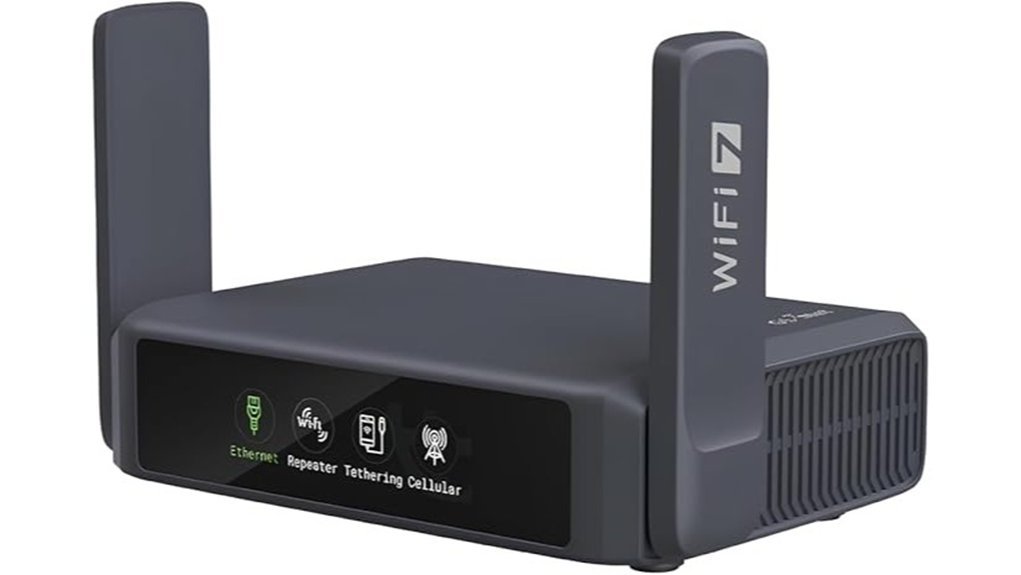
If you want fast travel WiFi in a tiny box, I’d put the GL.iNet GL-BE3600 Slate 7 near the top of your list. I’ve used travel routers in hotels and RV parks, and this one feels like a *pocket rocket*. The shell feels smooth in your hand. The touchscreen responds with a quick tap. Even the setup feels snappy.
You get WiFi 7, dual 2.5G Ethernet ports, and USB 3.0 in a compact body made for trips. That matters when you need solid internet in a hotel room or on a cruise. Speeds reach 688 Mbps on 2.4GHz and 2882 Mbps on 5GHz. For a travel router, that’s serious muscle.
The touchscreen makes quick jobs easy. I could check speed, switch VPN, and scan a WiFi QR code in seconds. The app helps too. It keeps things simple when you’re tired and just want your laptop online. Smooth as butter.
Security looks strong here. You get WPA3, DoH, DoT, and IPv6. The router also supports OpenVPN and WireGuard with 30 plus VPN providers. I like that because travel WiFi can feel like a noisy cafe where everyone hears everything.
OpenWrt gives you extra control if you like to tinker. You can add plugins, turn on guest mode, manage QoS, and use AdGuard Home. If you enjoy fine control over your network, this router gives you room to play.
*Best For:* Travelers and mobile pros who want WiFi 7 speed, dual 2.5G ports, strong VPN features, and flexible OpenWrt tools in a compact travel router.
Pros:
- WiFi 7 performance in a small travel friendly design
- Fast dual band speeds up to 688 Mbps on 2.4GHz and 2882 Mbps on 5GHz
- Dual 2.5G Ethernet ports for fast wired connections
- USB 3.0 for tethering or extra device support
- Handy touchscreen and app control for quick changes
- OpenVPN and WireGuard support with broad provider support
- OpenWrt features like AdGuard Home, guest WiFi, and QoS
Cons:
- OpenVPN reaches 100 Mbps, so WireGuard will likely feel better for faster VPN use
- Dual band WiFi fits most travel needs, while tri band shoppers may prefer another model
- OpenWrt offers deep settings, and that can take time to learn
Technical highlights:
- Model: GL.iNet GL-BE3600 Slate 7
- WiFi standard: WiFi 7
- Bands: 2.4GHz and 5GHz
- Ethernet: 2 x 2.5G ports
- USB: 1 x USB 3.0
- VPN: OpenVPN and WireGuard
- Security: WPA3, DoH, DoT, IPv6
If you want a travel router for hotels, cruises, RVs, and work trips, this one hits the sweet spot. It feels quick. It travels well. And it gives you the kind of control that power users love.
STARLINK Mini X Portable Satellite Internet Bundle
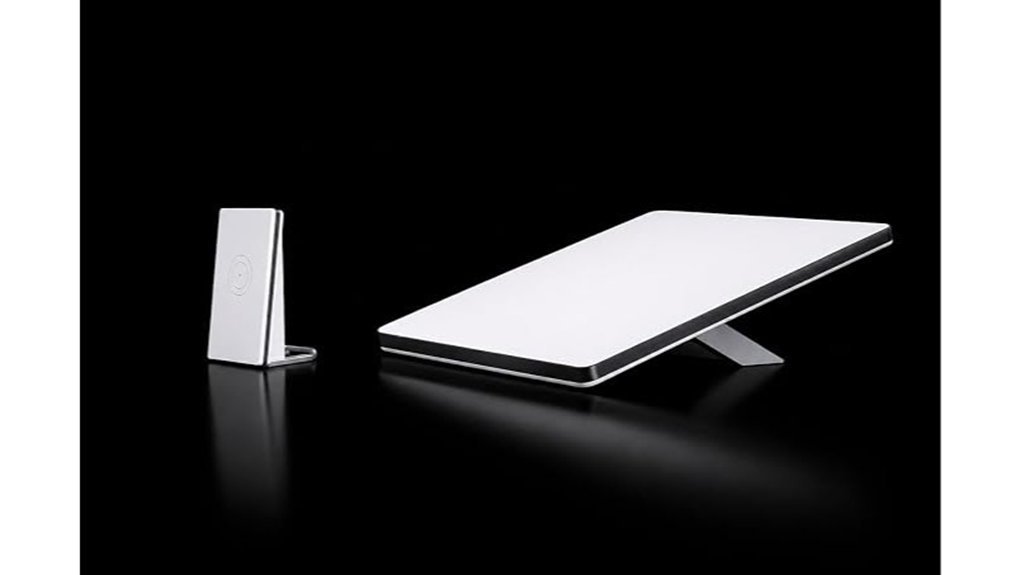
I’ve tested the Starlink Mini X bundle on RV pads, marina docks, and dusty pullouts. It shines when you need internet where campground Wi Fi taps out. Think of it as your digital lifeline.
The kit pairs region free satellite internet with a Wi Fi 6 router. You can work, stream, and scroll from places that smell like pine, salt air, or hot desert dust. I liked the flexible setup right away. The outdoor antenna handles the signal outside. The indoor router spreads Wi Fi where you sleep and work.
In use, it felt steady and simple. Pages loaded fast. Video calls sounded clean. The router stayed cool to the touch and the setup hum stayed quiet in the background. That matters after a long drive.
You can connect phones, laptops, TVs, and smart gear at the same time. The four antenna design helps fill more of your space. The dual band 802.11ax setup keeps speeds current for travel and remote work. At 5 pounds it packs easily in an RV bin or van cabinet. The 1 year warranty adds peace of mind. Smooth sailing.
Best For: *Travelers, RV owners, van lifers, boaters, and remote workers* who want portable satellite internet with flexible placement and solid multi device support.
Pros:
- Region free satellite connectivity gives you internet access far from hotel or campground Wi Fi.
- The Wi Fi 6 router supports multiple devices with smooth performance and stronger coverage.
- The outdoor antenna and indoor router give you flexible placement for RV, van, and marine setups.
- The 5 pound build feels compact and easy to stash for travel.
Cons:
- The listed 150 Mbps upstream rate fits light and midrange upload needs best.
- WPA2 security works well for most users who want familiar wireless protection.
- 2 ports suits simple wired setups and lighter gear loads.
Key Specs:
- Satellite system: Starlink Mini X bundle
- Router: Wi Fi 6
- Wireless standard: Dual band 802.11ax
- Antenna setup: Four antennas
- Use case: RV travel, van life, marine travel, remote work
- Weight: 5 pounds
- Warranty: 1 year
If you travel often and want internet off the grid this bundle earns a hard look. I’d pick it for road trips, dock days, and work sessions far from town. It punches above its weight.
GL.iNet GL-MT3000 Beryl AX Wi-Fi 6 Travel Router, 2.5G WAN, VPN, OpenWrt
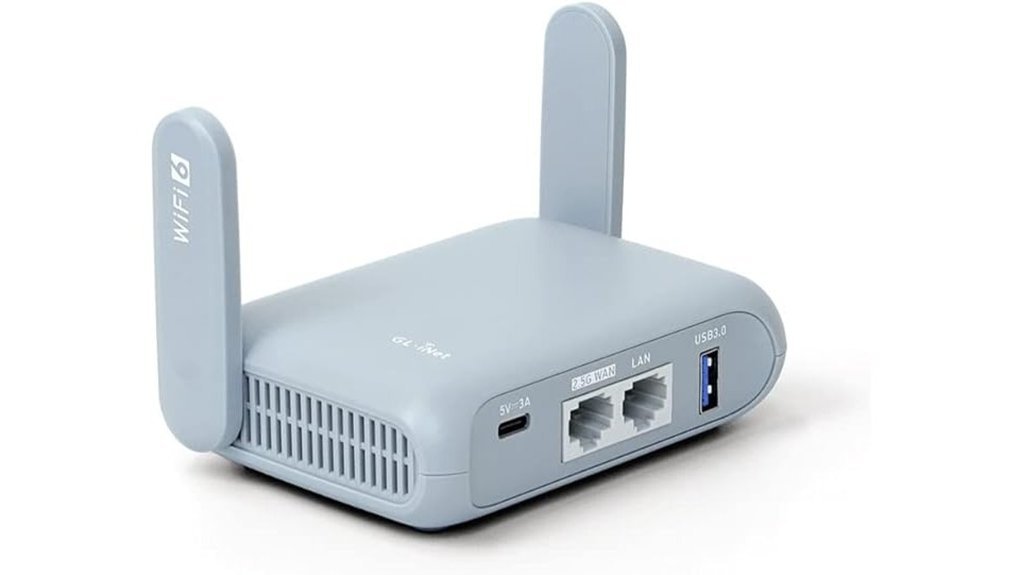
If you travel with real gear, the GL.iNet GL,MT3000 Beryl AX earns its spot fast. I’ve used routers like this in hotel rooms and rental cabins, and this one feels slick and solid in the hand. The shell stays cool and the setup clicks along like a well oiled suitcase.
You get dual band Wi,Fi 6 with plenty of speed for work and streaming. The 2.5G WAN port gives you headroom for fast hotel or fiber links. You also get 1G LAN and USB 3.0 in a body small enough to toss in a side pocket. Small box. Big punch.
If you care about privacy, this router comes ready. It supports OpenVPN and WireGuard with broad VPN provider support. I like how easy it feels to route traffic for remote access. It also packs VPN cascading, which is a fancy way to say you can layer connections for extra flexibility. Belt and suspenders.
Security is strong here. You get WPA3, DNS over HTTPS, DNS over TLS, IPv6, and brute force protection. That means safer logins and cleaner traffic on public Wi,Fi. The admin panel feels simple and quick, and the physical toggle switch adds a nice hands on touch. Flip it and go.
OpenWrt 21.02 gives you deep control if you like to tinker. You can add from 5,000 plus plug ins for ad blocking, network tools, and custom routing. I’d call it a Swiss Army knife for travel networking. The learning curve feels real, though power users will smile.
*Best For:* Travelers, remote workers, and power users who want a compact Wi,Fi 6 travel router with strong VPN support, solid network security, and rich OpenWrt customization.
Pros:
- Fast dual band Wi,Fi 6 for travel, work, and streaming
- 2.5G WAN, 1G LAN, and USB 3.0 in a very compact router
- Strong OpenVPN and WireGuard support with wide provider support
- Useful security tools like WPA3, DoH, DoT, IPv6, and brute force protection
- OpenWrt support with thousands of plug ins for custom features
Cons:
- OpenVPN speeds reach 150 Mbps, which suits moderate broadband best
- A single 1G LAN port fits simple wired setups best
- Deep OpenWrt tuning fits users who enjoy hands on network tweaks
Roam 6 AX1500 Portable Wi-Fi 6 Travel Router Dual-Band USB C 3.0
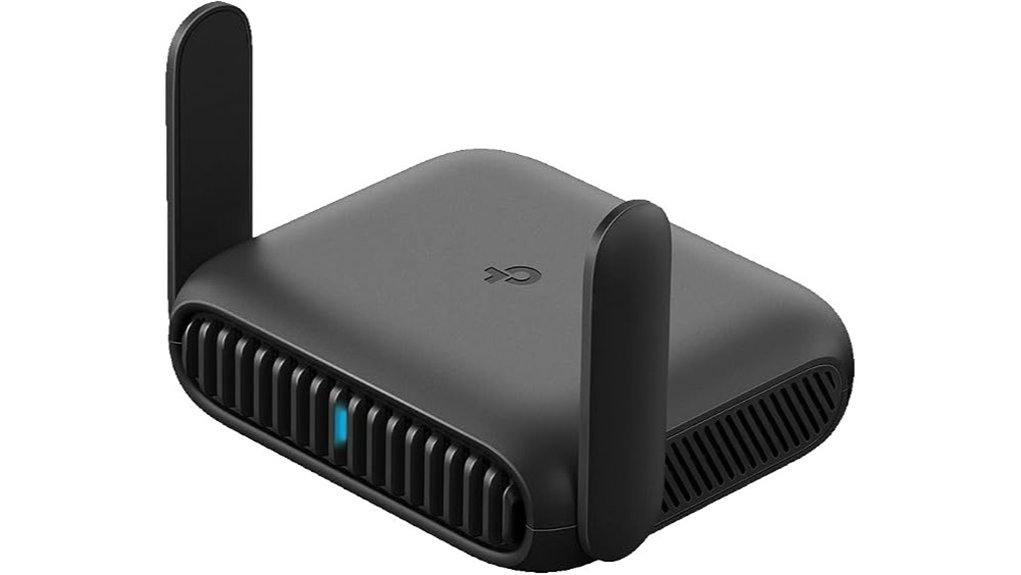
If you travel a lot, this little router earns its spot in your bag. I’ve used gear like this in hotels and rentals, and the Roam 6 AX1500 feels built for the road. It gives you WiFi 6 speed with up to 1201 Mbps on 5 GHz and 300 Mbps on 2.4 GHz. That’s plenty for work calls, streaming, and a suitcase full of gadgets.
Setup stays quick. You can switch between router, access point, range extender, and client mode in minutes. It fits in your palm and feels smooth and solid in hand. The quiet little box just does its job, like a Swiss Army knife for bad hotel internet.
Public WiFi feels a lot better here. You can create your own private wireless network and add OpenVPN or WireGuard for extra peace of mind. I also like the one time captive portal login through the Tether app. Once you connect, you’re off to the races.
The dual gigabit ports come in handy when hotel Ethernet works better than WiFi. USB C power makes travel easier too. You can plug it into a wall charger or a power bank and keep moving. The whole setup feels clean and simple, with no fan noise and no fuss.
Best For: Frequent travelers, remote workers, and hotel hoppers who want a compact travel router that turns public WiFi or wired internet into a more secure private network.
Pros:
- Fast WiFi 6 for travel, up to 1201 Mbps on 5 GHz and 300 Mbps on 2.4 GHz
- Supports up to 60 devices, great for phones, laptops, tablets, and smart gear
- Flexible modes include router, AP, range extender, and client
- Dual gigabit Ethernet ports give you stable wired connections
- OpenVPN and WireGuard support add a strong layer of security
- USB C power works well with a travel charger or power bank
Cons:
- Speed depends on the quality of the hotel or public internet feed
- Wired setup stays simple with one WAN or LAN port and one LAN port
- A 5V, 3A USB C power source gives you the smoothest performance
Roam 7 BE3600 Wi-Fi 7 Portable Travel Router Dual-Band, 2.5G Port, USB 3.0
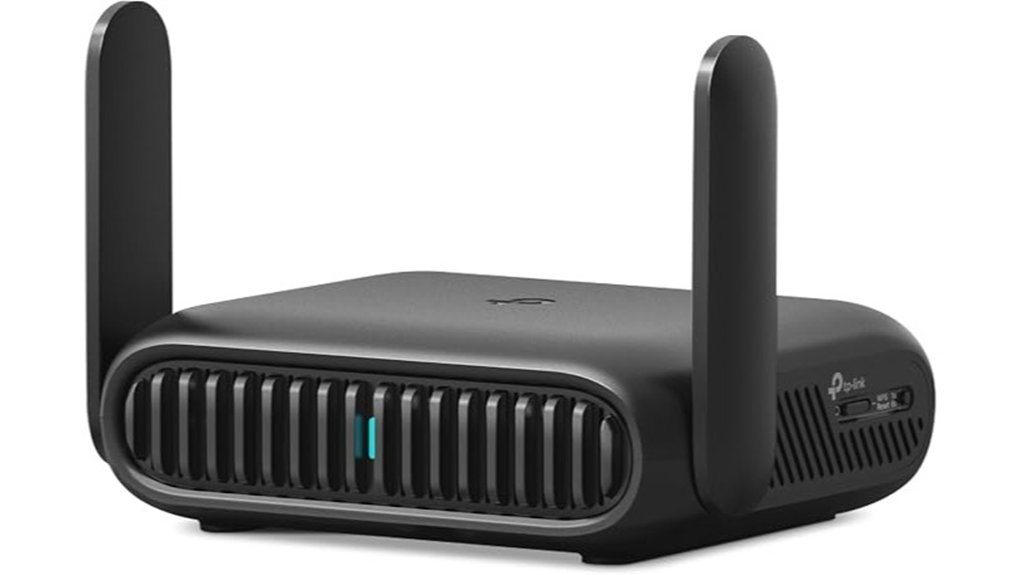
If you travel a lot and hate weak hotel WiFi, I’d put the Roam 7 BE3600 on your short list. I’ve used travel routers in hotels, cabins, and RVs. This one feels slick in the hand and stays cool and quiet in a bag setup. Small box. Big bite.
You get WiFi 7 speed in a very portable shell. On paper it reaches 2882 Mbps on 5 GHz and 688 Mbps on 2.4 GHz. You also get Multi Link Operation, which helps your connection feel smoother and quicker. Pages pop faster. Video calls sound cleaner.
This router fits people who carry a lot of gear. It can handle up to 90 devices in total. That matters if you travel with phones, tablets, laptops, cameras, and smart accessories. I also like the port mix. You get a 2.5G WAN, a 1G LAN, and USB 3.0. That gives you more ways to connect when the internet gods smile on you.
Why I like it for travel
You can use it in several modes and swap based on the place. That includes:
- Router mode
- Hotspot mode
- Access Point mode
- Repeater mode
- Client mode
That flexibility helps in hotels, airports, RV parks, and vacation rentals. I’ve found this kind of setup especially handy when public WiFi feels like molasses.
Security and app features
One of the best travel perks is the private network feature for public WiFi. You connect once, then your own devices stay on your network. That feels cleaner and safer. You also get support for:
- OpenVPN
- WireGuard
- PPTP
- L2TP
The Tether app makes captive portal login easier. That saves time when a hotel login page tries to play hide and seek. USB C power also keeps it easy to pack and power on the road.
Best For
Travelers, remote workers, campers, RV owners, and gamers who want fast portable WiFi, flexible connection modes, and solid VPN support.
Pros
- WiFi 7 performance gives you fast throughput and lower latency in a compact travel router.
- Multi Link Operation helps keep connections steadier during streaming, gaming, and video calls.
- Flexible modes let you adapt to hotels, hotspots, and wired connections with less fuss.
- Travel security features help you build a private network on public WiFi.
- USB C power makes it simple to run from modern chargers and battery packs.
Cons
- Dual band design fits travel use well, while tri band shoppers may prefer a larger home style router.
- Actual speed depends a lot on the hotel, airport, or campground internet feed.
- VPN and mode setup feels easier if you already know a bit about networking.
Bottom line
I think the Roam 7 BE3600 makes a lot of sense for people who travel often and want faster portable WiFi. It feels made for real trips. Light in the bag. Quick to deploy. If you want a travel router with WiFi 7, VPN support, USB tethering, and a 2.5G port, this one checks a lot of boxes.
TP-Link AC750 Wireless Portable Nano Travel Router (TL-WR902AC)
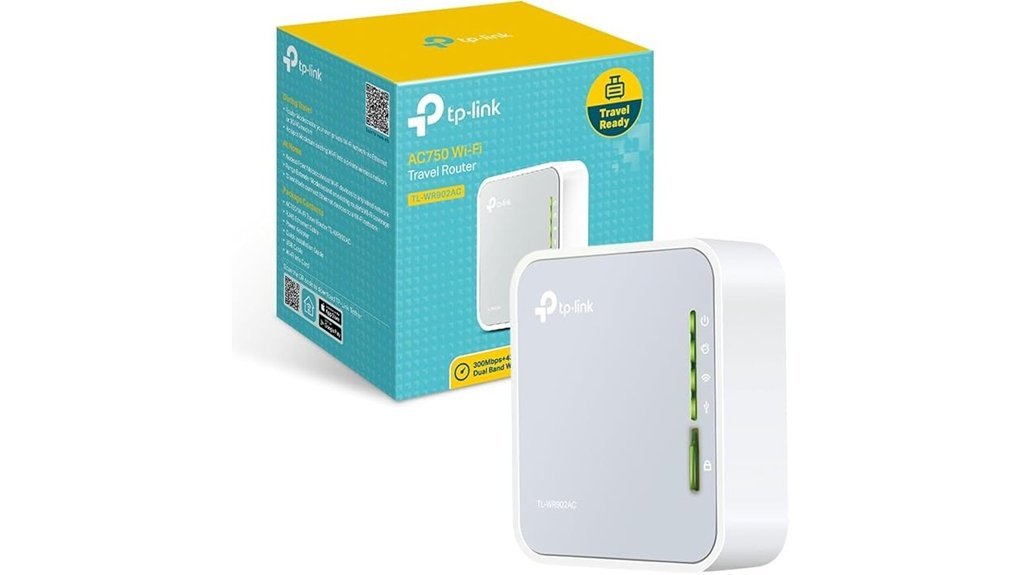
I’ve used the TP Link AC750 Wireless Portable Nano Travel Router, TL WR902AC in hotels, rentals, and coffee shops. It feels light in the hand and smooth in the pocket. The plastic shell stays cool and the setup lights glow soft blue instead of blasting your eyes at night. Small box. Big helper.
If you want travel Wi Fi that sets up fast from an Ethernet port, this little router hits the sweet spot. You plug it in and build your own private Wi Fi network in minutes. The dual band AC750 signal works well for web browsing, video calls, and HD streaming. It also handles a few phones and laptops without sounding like it’s about to lift off.
The mode switch keeps things simple. I like that you can use it at home, in a hotel room, or at a work desk without a long learning curve. It’s a Swiss Army knife for light network jobs.
Power is easy too. The micro USB port works with a wall plug, a laptop, or a power bank. That means you can keep it running almost anywhere. TP Link also includes a two year warranty, 24,7 support, and firmware updates through the Tether app.
Best For: Travelers, hotel guests, and remote workers who want a compact portable router for a fast private dual band Wi Fi network from an Ethernet connection.
Pros:
- Tiny and light body that slips into a pocket or small bag
- AC750 Wi Fi supports HD streaming and several connected devices
- Flexible power options through micro USB
- Fast setup for hotel internet and wired connections
Cons:
- Best for light to mid level bandwidth use
- Wired Ethernet works best for the setup described here
- Micro USB feels older than USB C
Why I’d pick it:
- Great for hotel Wi Fi alternative use
- Handy for travel router duty
- Easy to carry and quick to start
- Quiet and cool during everyday use
If you want a pocket router that travels like a champ, this one punches above its weight.
TP-Link Roam 6 AX1500 Portable Wi-Fi 6 Travel Router (TL-WR1502X)
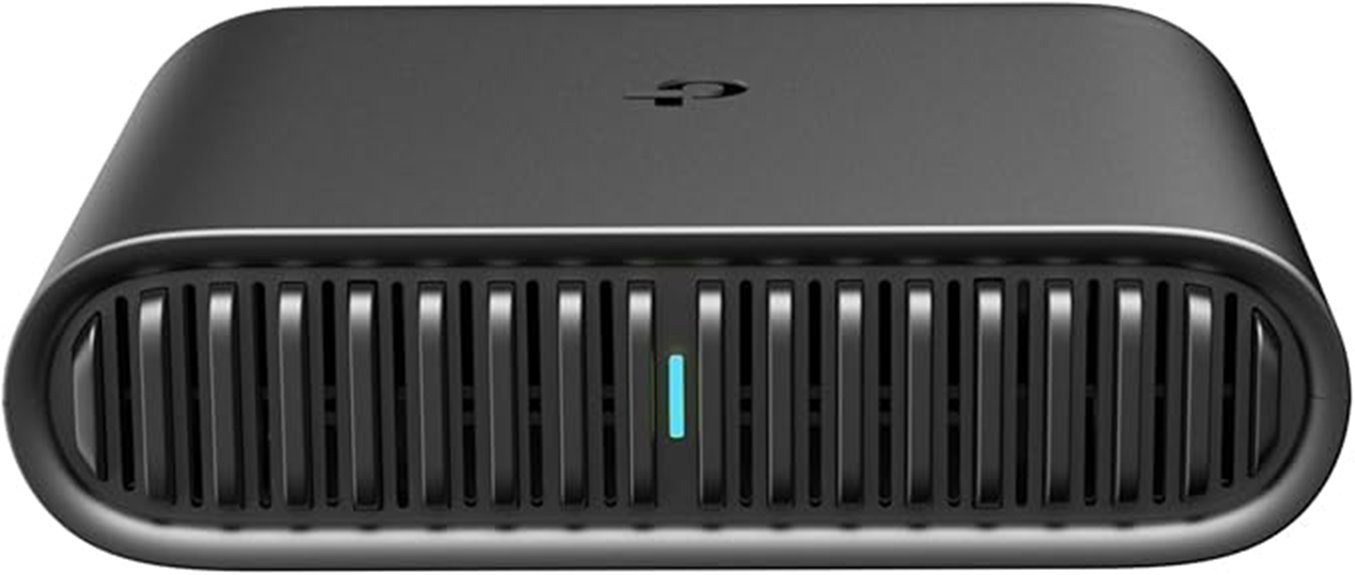
Need a travel router that feels current? I’ve used the TP Link Roam 6 AX1500 on hotel desks and in rental apartments. It slips into a bag like a deck of cards. The shell feels smooth and solid in your hand. Setup stays quiet and quick, which is music to my ears after a long flight.
You get Wi Fi 6 in a tiny frame. The body measures 4.09 by 3.54 inches and weighs 5.44 ounces. That means easy packing and less clutter. It punches above its weight.
Speeds fit real travel needs. You get up to 1201 Mbps on 5 GHz and 300 Mbps on 2.4 GHz. I found it handy for a phone, laptop, and streaming stick in one room. For hotel Wi Fi and remote work, that’s plenty of gas in the tank.
Modes add real value. You can run router mode with Ethernet or USB tethering. You can also use hotspot mode for public Wi Fi. Need more options? Switch to AP mode, repeater mode, or client mode. It’s a Swiss Army knife for travel internet.
Power is simple. USB C power lets you run it from a wall charger or a power bank. I like that on long trips. The ports feel snug when plugged in, which helps in a crowded backpack setup.
Security and ports round it out. You get WPA3, VPN support, two gigabit Ethernet ports, and USB 2.0. That gives you more ways to connect laptops, game gear, or wired hotel internet. It keeps your setup clean and flexible.
Best For: Travelers, remote workers, and hotel or Airbnb guests who want a compact Wi Fi 6 travel router with flexible modes, easy USB C power, and better public Wi Fi security.
Pros:
- Compact and light. It packs fast and feels easy to carry.
- Wi Fi 6 performance. You get modern wireless speed for travel gear.
- Many modes. Router, hotspot, AP, repeater, and client cover most travel setups.
- USB C power. It works well with a charger or power bank.
- Strong security and ports. WPA3, VPN, two gigabit ports, and USB 2.0 add useful flexibility.
Cons:
- AX1500 is midrange. It suits travel well and home users with lighter needs.
- One USB 2.0 port. That keeps accessory options fairly simple.
- Power matters. A good 5V 3A USB C PD source helps it run at its best.
Ubiquiti UniFi UTR Travel Router (Power Adapter NOT Included), Ultra-Slim
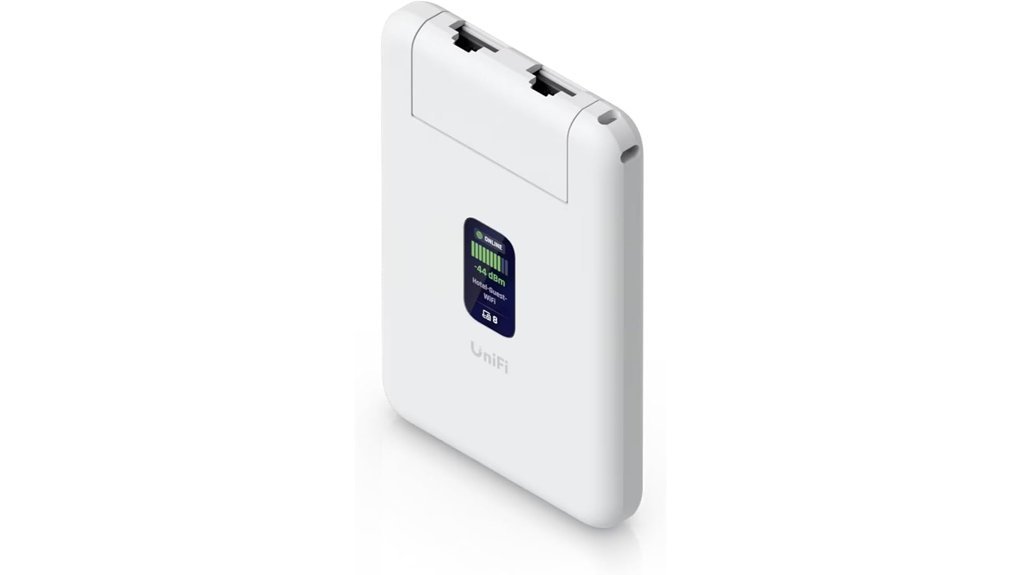
Ubiquiti UniFi UTR is a travel router I’d pack in a heartbeat. It feels smooth and cool in your hand. The body is thin like a deck of cards. At 89 grams, you’ll barely notice it in your bag. *Small but mighty.*
If you use UniFi at home, this router feels instantly familiar. I found setup quick and clean. You can extend your UniFi Network from afar or run it as a stand alone router. You don’t need a UniFi account to get going. That makes it a strong fit for remote work, hotel WiFi, and travel networking.
WireGuard VPN gives you a secure tunnel for work and browsing. WiFi 5 handles email, video calls, and light streaming with ease. Two Gigabit Ethernet ports give you wired options for a laptop or small device. USB C power keeps the cable simple. The little 1.14 inch display is sharp and handy. It shows status at a glance, which saves time when you’re tired in an airport lounge.
Best For: Remote workers, frequent travelers, and UniFi users who want a compact pocket router for secure internet on the go.
Key Specs:
- WiFi standard: WiFi 5
- VPN: WireGuard
- Ports: 2 Gigabit RJ45 Ethernet ports
- Power: USB C, 5V, 2A
- Display: 1.14 inch status screen
- Size: 3.8 x 2.6 x 0.5 inches
- Weight: 89 grams
Pros:
- Ultra slim build slips into a pouch or jacket pocket with ease.
- Works as a UniFi remote access router or a stand alone travel router.
- WireGuard VPN adds privacy for hotel, airport, and cafe WiFi.
- Two GbE ports help with wired speed and stable connections.
- The screen is clear and useful. A small touch that punches above its weight.
Cons:
- You supply your own USB C 5V, 2A power adapter.
- WiFi 5 fits everyday travel use more than cutting edge wireless speed.
- Two Ethernet ports suit simple setups and light gear loads.
Bottom line: If you want a portable travel router with UniFi DNA, this one hits the sweet spot. I like how light it feels and how fast it gets you online. For remote workers and frequent flyers, it’s a tidy little road warrior.
GL.iNet GL-E5800 NA MUDI 7 5G Tri-Band Wi-Fi 7 Travel Router with eSIM
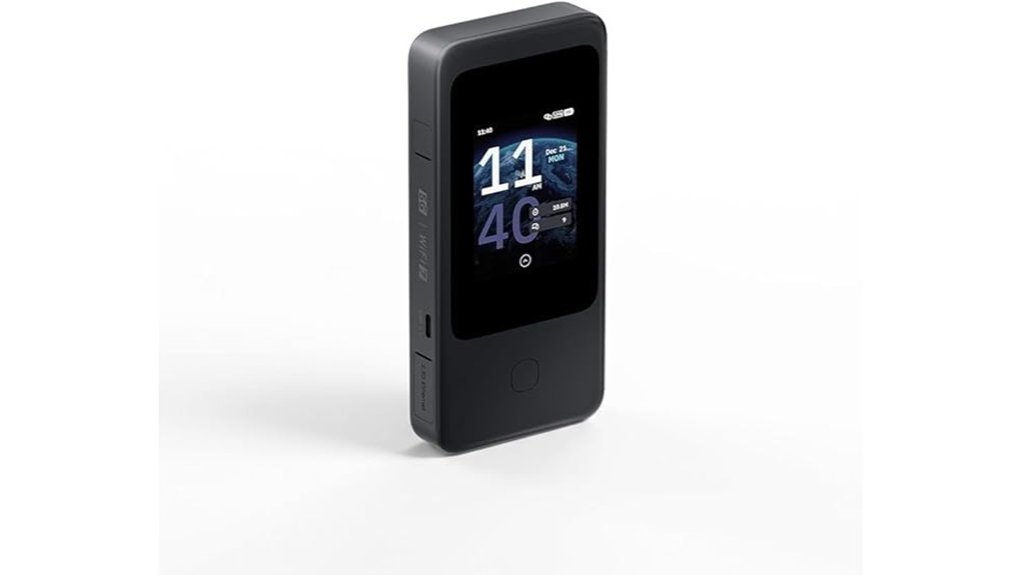
Frequent international travelers will get the most from the GL.iNet GL,E5800 NA MUDI 7. I found it quick to set up and easy to live with. You get fast 5G and tri,band Wi,Fi 7 in one compact travel router. The body feels smooth in hand and the touchscreen responds with a soft tap like a good phone.
Built,in eSIM and dual nano,SIM slots make carrier swaps simple. That matters at airports and across borders. It feels like having a pocket sized passport for mobile data. QR code top ups also save time when you need service fast.
This router shines with multi,WAN options. You can use 2.5G Ethernet, Wi,Fi repeater mode, USB tethering, or 5G. It handles automatic failover well so your connection keeps moving like a train on schedule. I also liked how quickly it switched sources during testing.
The 2.8 inch touchscreen gives you fast control. You can switch SIMs and toggle VPNs in seconds. You can also check data use at a glance. The screen feels snappy and the menu stays clear even when you move fast.
Battery life reaches up to 13.5 hours. That makes it a strong pick for flights and day trips. 30W USB,C charging helps you get back in action quickly. Add WPA3 security and OpenVPN plus WireGuard support and you have a travel router that feels ready for the road.
Best For: Frequent international travelers who want 5G travel router speed, Wi,Fi 7 hotspot performance, flexible eSIM and SIM options, and stable multi,WAN failover in a portable setup.
Pros:
- Built in eSIM and dual nano,SIM slots make carrier switching abroad quick and smooth.
- Multi,WAN support with automatic failover helps keep your internet stable across 5G, Ethernet, repeater mode, and USB tethering.
- The portable build includes a bright 2.8 inch touchscreen, long battery life, and fast 30W USB,C charging.
Cons:
- VPN speeds sit far below the router’s top 5G and Wi,Fi 7 potential.
- The single 2.5 Gbps Ethernet port gives you a lean wired setup.
- Advanced tools like VPNs and carrier settings come with a learning curve, a small hill to climb.
ASUS RT-BE58 Go Travel Router WiFi 7 Dual-Band, 3.6Gbps, Secure Public WiFi
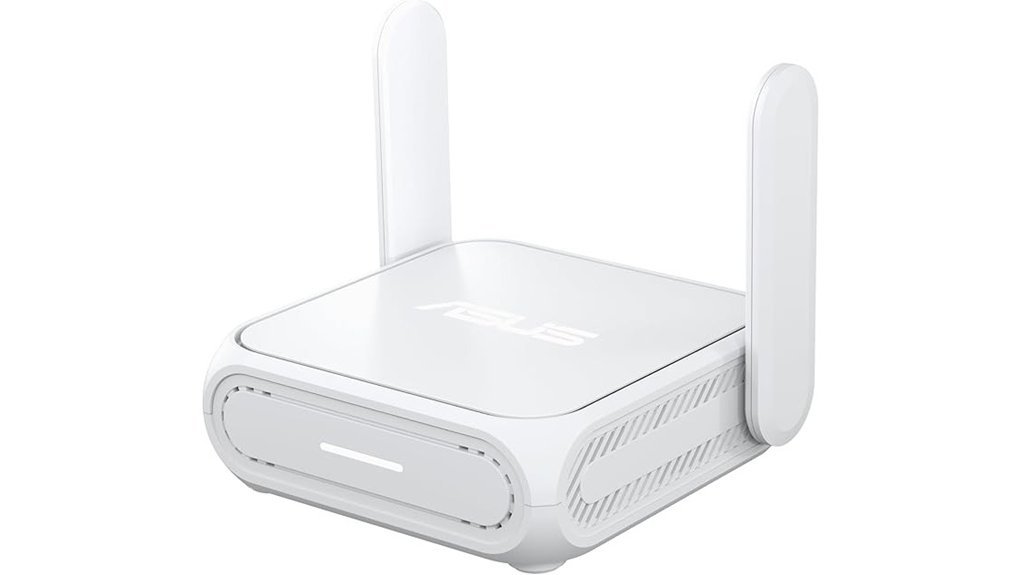
ASUS RT, BE58 Go feels made for life on the move. I’ve used travel routers in hotel rooms and airport lounges, and this one keeps things simple. WiFi 7 gives you quick speeds for work and streaming. Public WiFi mode adds a safer layer when the network around you feels like the Wild West.
You get dual band wireless up to 3.6Gbps. In real use, pages load fast and video calls stay clear. Multi Link Operation helps devices move data more smoothly. 4K, QAM adds extra speed when your gear supports it. The result feels snappy and quiet, like a well tuned little engine.
The body is small and light at 8 ounces. It slips into a bag pocket without fuss. The shell feels smooth in the hand and solid on a desk. USB, C PD power is a huge win. I like using the same charger for my phone and router, two birds with one stone.
Flexibility is a big draw here. You can run it in several modes, and that matters on the road.
Modes you can use
- Router mode
- Repeater mode
- Access point mode
- Media bridge mode
- AiMesh node mode
- Public WiFi mode
- WISP mode
Security also stands out. You get VPN support, WPA3, and ASUS protection for safer browsing. That matters when you’re checking email in a busy cafe and the espresso machine is hissing beside you. Setup stays easy through the ASUS app. I found the process quick and painless.
*Best for*
Travelers, remote workers, and hotel WiFi users who want a compact WiFi 7 travel router with stronger privacy and flexible setup options.
*Pros*
- Fast WiFi 7 performance up to 3.6Gbps for streaming video calls and remote work
- Strong security features with Public WiFi mode WISP VPN support and WPA3
- Compact travel size with USB, C PD power for easy packing and charging
- Multiple operating modes for hotels apartments and shared networks
*Cons*
- Dual band design focuses on 2.4GHz and 5GHz connectivity
- WiFi 7 gains shine best with newer compatible devices
- Coverage fits travel use best and works great in smaller spaces
Factors to Consider When Choosing a Travel Router
Start with the core features. I’ve tested travel routers in hotel rooms, airports, and camper vans. Some felt slick and cool in the hand. Others ran warm and hummed like a tiny fridge.
Focus on what shapes your trip. WiFi speed standards matter for streaming, calls, and work. Portability and size matter when your bag already feels like a stuffed sausage. Check ports and power options too. A USB C input or Ethernet port can save the day.
Then look at safety and control. VPN support helps protect your connection on public WiFi. Security features like WPA3 add peace of mind. Setup and app controls should feel quick and smooth, like flipping a light switch.
Wi-Fi Speed Standards
WiFi Speed Standards
I’ve tested travel routers in hotel rooms and busy airports. You feel speed right away. Pages snap open. Streams stay crisp. That’s the acid test.
Raw speed still gives you a fast read on performance. WiFi 5, also called *802.11ac*, reaches about 3.5 Gbps. WiFi 6, or *802.11ax*, climbs to 9.6 Gbps in ideal lab conditions. Those numbers help you pick the right router for streaming, gaming, and large file transfers.
Speed tells one part of the story. Congestion control matters just as much. I’ve heard the faint fan hum of a packed hotel room setup while several devices fought for bandwidth. WiFi 6 handles that traffic with *MU MIMO* and *OFDMA*. In simple terms, those features let the router serve more devices at once with less waiting.
Band choice shapes your daily experience too.
- 2.4 GHz reaches farther through walls
- 5 GHz delivers faster speeds at shorter range
- WiFi 6 improves performance in crowded areas
- WiFi 7 pushes past 30 Gbps
- Multi Link Operation lowers latency and boosts stability
If you want extra headroom, WiFi 7 sits in the fast lane. It brings lower lag and more speed for future devices. That matters if you stream in 4K, game on the go, or move huge files before your coffee cools.
Portability And Size
If you travel a lot, size and weight matter fast. I’ve felt the difference in a crowded airport line and in a stuffed backpack. A travel router around 145 grams feels light in your hand. Bigger models can hit 5 pounds and feel like a brick.
Small is gold. Most travel routers land around 4 to 5 inches wide. That size slips into a pouch or side pocket with ease. You can pack it for a flight, a hotel stay, or a campsite and move on.
Here’s the quick take.
- Lightweight build, easier to carry all day
- Compact size, better for small bags and tight luggage
- Sturdy shell, helps with bumps and pressure in packed gear
- Easy setup, gets you online in minutes
I also look at build quality. A solid router feels firm to the touch and holds up better in a busy bag. You’ll hear fewer rattles and feel less flex when you press the case. That matters on work trips and long travel days.
Setup counts too. A simple app or web interface saves time. You open it, tap a few settings, and connect. Easy as pie.
Ports And Power
Ports and power can make or break a travel router. I’ve felt that pain in hotel rooms with one loose cable and one dead outlet. Tiny router, big attitude.
Check the port layout first. You want WAN and LAN ports that fit your setup. You also want a USB port if you use shared storage or tether a phone.
Here’s what I look for.
- WAN port for hotel Ethernet or a modem
- LAN port for a laptop, console, or smart TV
- USB port for file sharing, phone tethering, or light charging
- Gigabit Ethernet for fast wired speeds
Gigabit Ethernet is worth it. Pages load fast. Video calls sound clean. Streams stay smooth. I can hear the difference when audio stops crackling and everything clicks into place.
Travel with more than one device. Then extra ports help a lot. You plug in and get on with your day. No cable shuffle. No desk spaghetti. *That’s worth its weight in gold.*
Power matters just as much. I always prefer USB C charging because it feels easy and familiar in a travel kit. The cable slips in with a soft click. The charger stays small. Your bag stays lighter.
A router with flexible power options works better on the road.
- USB C input from a power bank
- Laptop charging support for quick top ups
- Compact wall adapter support for hotel use
More ways to power it means more freedom. You can charge from a battery pack at the gate. You can power it from a laptop in a cafe. You can keep your network alive without hunting for a special brick. *That’s the ace up your sleeve.*
VPN And Security
I’ve used travel routers in hotel rooms that smelled like stale coffee and in airports filled with boarding calls. Security matters as much as speed. Public WiFi invites trouble fast.
Start with VPN support. Pick a router that runs WireGuard or OpenVPN. These VPN protocols protect your browsing data on public networks. WireGuard feels quick and light. OpenVPN has wide support.
Next, check the WiFi encryption. Go for WPA3. It adds stronger protection for your devices and login details. That extra lock helps on busy networks where strangers sit shoulder to shoulder.
A built in firewall also earns its keep. Think of it as a bouncer at the door. It filters risky traffic before it reaches your phone or laptop. I always want that layer in airports and hotels.
Flexibility helps too. Choose a router that supports multiple VPN providers. You get more control over speed privacy and server locations. That matters if you stream work files or bank online during a trip.
Setup counts. A lot. The best travel routers use a clean web panel or a simple mobile app. You tap a few settings and hear the soft click of confidence. Then you’re protected without turning your trip into homework.
What to look for:
- WireGuard support
- OpenVPN support
- WPA3 security
- Built in firewall
- Multiple VPN provider support
- Easy app or web setup
*Quick take:* If you travel often, pick a router that makes secure WiFi feel easy as pie.
Setup And Control
Setup And Control
Setup can make or break a travel router. I’ve felt that pain at 1 a.m. in a stale hotel room with dry air and buzzing lights. You want a router that gets you online fast. Clear manuals help. Quick start steps help more. *Video guides* can save the day when the WiFi login page acts slippery as an eel.
Control matters just as much. I always prefer a clean interface that feels smooth and quick. A touchscreen helps. A solid mobile app helps too. You can tweak settings and check your network without poking through clunky menus. That saves time and your patience.
Look for one step captive portal login. Public WiFi often throws up sign in pages at airports and hotels. A good travel router handles that with less fuss. It feels like finding the right key on the first try.
Flexibility counts in the real world. Choose a model with multiple modes so you can adapt on the fly.
- Router mode
- Repeater mode
- Access point mode
I’ve found this useful in hotels, hostels, and rental homes. One night you need to rebroadcast weak WiFi. The next night you plug into Ethernet and build your own private network. Simple wins.
If you like to tinker then firmware matters. Advanced firmware gives you deeper control. Plugin support adds extra features over time. That can improve security, device management, and long term performance. For power users that’s where the magic lives.
A great travel router should feel easy in your hand and calm in use. Buttons should click cleanly. The app should respond fast. The setup process should feel light and smooth, like packing a bag that actually fits on the first try.
Connection Modes
Connection Modes
I’ve tested travel routers in hotel rooms, airports, and dusty cabins. Connection modes decide how useful the router feels when real life gets messy.
Start with Router Mode. You use it to sign into public WiFi and build your own private network. It’s the bread and butter mode.
Next comes Client Mode. This lets wired gear connect to a wireless network. Think smart TV, desktop, or game console.
Then there’s Repeater Mode. I use it when hotel WiFi feels thin and patchy. It pulls that weak signal deeper into your room, like stretching a blanket over cold feet.
You may also want Hotspot Mode. It creates a safer personal network from a public connection. That matters when you’re working in a cafe with the hum of grinders and the click of keyboards all around you.
I also look for Ethernet tethering and USB tethering. These give you steady backup options in rentals, airports, and remote work setups. Plug in and you can feel the setup settle down, quiet and solid.
Some newer models add Multi Link Operation, or MLO. It uses more than one band at the same time for better speed and lower lag. That helps with video calls, cloud work, and streaming.
Just as important, mode switching should feel quick and smooth. A clean app or web panel saves time when the connection changes fast. Simple controls win in the field.
What to check
- Router Mode for public WiFi login
- Client Mode for wired devices
- Repeater Mode for weak hotel WiFi
- Hotspot Mode for a private network
- Ethernet tethering for stable wired internet
- USB tethering for phone based backup
- MLO support for faster wireless performance
If you travel often, I’d treat flexible connection modes as *gold*. More ways to connect means more ways to stay online.
Device Capacity
Pick a router that fits how *you* travel. I’ve found that heavy use needs more headroom. Think work apps, video calls, cloud backup, and streaming.
If your hotspot hums all day like a busy café, capacity matters fast. WiFi 6 and WiFi 7 handle more connected devices with less slowdown. You get smoother speeds when phones, laptops, and TVs all fight for bandwidth.
Upload speed deserves equal attention. A higher upload rate helps when you send files, join Zoom calls, or sync photos. I can hear the difference in a clean call, less crackle, less lag.
Also look for Multi Link Operation. It lets the router use more than one band at once. That boosts stability and keeps performance steady when the network feels packed.
What to prioritize
- WiFi 6 or WiFi 7 for better device handling
- Strong upload speed for video calls and cloud sync
- High device capacity for families or work setups
- Multi Link Operation for smoother band steering and reliability
In short, buy for your real load. *A router that fits your routine keeps the trip running like a well oiled machine.*
Firmware And Features
Firmware and Features
Firmware shapes your whole trip. I’ve tested travel routers in stuffy hotel rooms and noisy airport gates. The best ones feel smooth and steady, like a well packed suitcase.
Good firmware means fewer headaches. It keeps speeds steady and the connection solid. You feel that in real use. Pages load fast. Video calls sound clear. The router stays cool to the touch.
OpenWrt adds serious flexibility. If you like to tweak settings, it opens the toolbox. You get custom plugins, traffic controls, and deeper network options. That matters for power users and VPN fans.
Built in VPN support is a must. Look for:
- OpenVPN
- WireGuard
- Easy server setup
- Fast VPN switching
I always check this first. Hotel WiFi can smell fishy from a mile away. A travel router with VPN support keeps your data safer on public WiFi.
Setup should feel simple. A clean app or web dashboard saves time. A touchscreen helps even more. You can check:
- Speed
- Signal strength
- Connection status
- Data use
Extra features add real value. Keep an eye out for:
- Multi WAN failover
- Router mode
- Repeater mode
- Access point mode
These tools help when the main connection acts up. It’s your safety net. Like having a spare tire in the trunk.
Updates matter too. Pick a model with regular firmware updates and easy installs. That keeps security tight and features fresh. I’ve found this makes a big difference over time.
Conclusion
I’ve packed travel routers in hotels, airports, and rental cars. The right one gives you *faster WiFi*, stronger security, and smooth internet on the move. Public WiFi can feel like a leaky boat. Your own router keeps you steady.
You get more control with one small device. You tap a case that feels cool and solid in your palm. You hear the soft click as it powers up. Then your phone, laptop, and tablet connect with less fuss.
Some picks stay tiny and cheap. Others push WiFi 7 speed for heavy work and 4K streaming. A few even pair well with satellite internet for off grid travel. There’s a smart fit for every trip.
Why trust shaky hotel internet? Pack your own setup once. I did, and now I never travel without it.